Elevating Your Agile Process: A Data-Driven Sprint Retrospective Example
In the fast-paced world of agile development, the sprint retrospective stands as a cornerstone for continuous improvement. It's the dedicated time for teams to reflect on what went well, what could be improved, and how to implement those changes in the next sprint. However, the effectiveness of a retrospective often hinges on objective data and actionable insights, rather than just subjective opinions. This is where modern tools, like Standupify's Google Chat bot and AI-powered GitHub analytics platforms, can revolutionize your approach. Let's explore a powerful sprint retrospective example that leverages these technologies to drive real, measurable progress.
Understanding the Core of a Sprint Retrospective
A sprint retrospective is more than just a meeting; it's a critical agile ceremony designed to foster transparency, inspection, and adaptation. Its primary goal is to help the team learn from its experiences, identify impediments, and refine its processes. Traditionally, retrospectives often rely on qualitative feedback gathered through discussions, sticky notes, or basic surveys. While valuable, this approach can sometimes lack the empirical evidence needed to pinpoint root causes or validate proposed solutions. Without concrete data, discussions can become anecdotal, making it harder to prioritize improvements or measure their impact effectively.
Imagine a scenario where a team consistently feels "rushed" at the end of a sprint. Without data, this feeling might lead to suggestions like "plan less work" or "work harder." But what if the data showed that code review cycles were consistently taking too long, or that specific types of tasks were frequently blocked? Objective metrics provide a clearer picture, transforming vague feelings into specific, actionable insights. This is the gap that integrating automated tools can fill, offering a richer, more data-driven sprint retrospective example.
Standupify: Streamlining Daily Insights in Google Chat
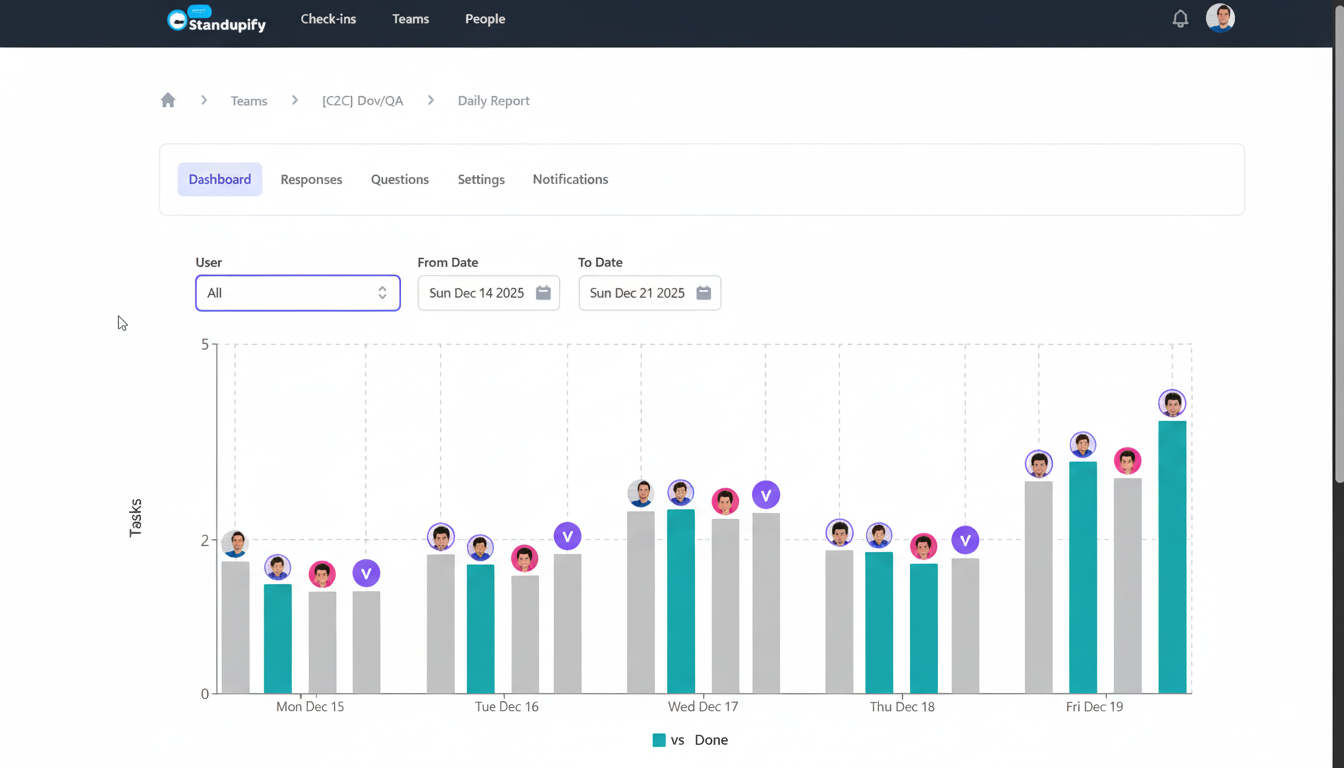
Standupify, your Google Chat bot for daily standups, is designed to automate and streamline your team's daily updates. By prompting team members for their "what I did yesterday," "what I'll do today," and "any blockers" directly within Google Chat, it collects valuable real-time qualitative data. This bot doesn't just centralize updates; it helps identify trends in blockers, common challenges, and areas where team members might be struggling. For a sprint retrospective, Standupify provides an invaluable chronological log of daily activities and reported issues, offering a qualitative narrative of the sprint's journey.
Think of the insights Standupify can provide: frequent mentions of "waiting on X" could indicate a dependency issue, recurring "struggling with Y" might point to a knowledge gap, or consistent "overran Z task" could highlight estimation challenges. These daily snippets, when aggregated over a sprint, paint a vivid picture of the team's experiences. They serve as excellent conversation starters for a retrospective, grounding discussions in actual reported events rather than relying solely on memory.
DevActivity: Unlocking Quantitative GitHub Analytics
While Standupify provides the qualitative narrative, platforms like DevActivity offer the quantitative backbone. DevActivity is an AI-powered GitHub analytics and gamification tool that dives deep into your development workflow. It tracks metrics such as pull request (PR) cycle time, code review duration, commit frequency, issue resolution times, and even individual contribution patterns. By analyzing these objective metrics, DevActivity reveals bottlenecks, identifies areas of high efficiency, and provides an unbiased view of the development process.
For instance, DevActivity can show you if PRs are consistently getting stuck in review for too long, if certain team members are overloaded with code reviews, or if there's a significant variance in the time it takes to complete similar tasks. These are the hard facts that complement the qualitative observations from Standupify, enabling a truly data-driven discussion. To see a detailed breakdown of how such data can inform your process, you can explore a comprehensive sprint retrospective example on their site, showcasing the power of analytics in action.
A Data-Driven Sprint Retrospective Example: Combining Forces
Now, let's bring it all together with a concrete sprint retrospective example. Imagine your team has just completed Sprint 15. Traditionally, you might start with a "what went well/what didn't go well" exercise. With Standupify and DevActivity, your preparation and discussion can be far more insightful.
Preparation Phase: Gathering Evidence
- Review Standupify logs: Look for recurring blockers, common challenges, or themes in daily updates. Were there specific tasks that consistently appeared as "carrying over"? Were there repeated mentions of external dependencies? Note down these qualitative observations.
- Analyze DevActivity reports: Generate reports for Sprint 15 focusing on key metrics. What was the average PR cycle time? Were there any significant outliers? How long did code reviews take? Were there specific modules or types of tasks that saw higher defect rates or longer resolution times? Did any team members consistently have many open PRs awaiting review?
For example, Standupify logs might show several team members frequently reporting "waiting for design assets" or "struggling with API integration." Simultaneously, DevActivity might show that the average PR cycle time for UI-related tasks was 30% higher than backend tasks, and that a particular microservice had an unusually high number of reverted commits.
Retrospective Discussion: From Anecdote to Action
During the retrospective meeting, instead of just asking "what went well?", you can present these combined insights:
- Start with qualitative themes: "Based on our Standupify updates, we saw a recurring theme of delays due to design asset availability. Can anyone elaborate on specific instances or challenges here?" This opens the floor for discussion, but with a specific, data-backed starting point.
- Introduce quantitative evidence: "Corroborating this, DevActivity reports show that our average PR cycle time for frontend tasks was significantly higher this sprint. Specifically, PRs involving component X consistently took longer to review and merge." This adds objective weight to the qualitative observation.
- Drill down into specifics: "DevActivity also highlighted that two specific developers seemed to be bottlenecks in code reviews, with a high number of open PRs assigned to them. Was there a reason for this? Were they overloaded, or was the review process itself complicated?"
- Identify root causes and solutions: The team can then discuss why these issues occurred. Perhaps the design team wasn't integrated early enough, or the frontend team lacked clear ownership of certain components. The high PR cycle time might be due to a lack of clear review guidelines or an excessive number of changes in single PRs.
For the "waiting for design assets" issue, the team might decide to implement a new "design review" step earlier in the sprint planning, ensuring assets are ready before development begins. For the long PR cycle times, they might decide to enforce smaller, more focused PRs, or to set up a rotating "review buddy" system to distribute the load more evenly.
Benefits of a Data-Enhanced Retrospective
- Objective Insights: Move beyond gut feelings to make decisions based on verifiable data.
- Faster Problem Identification: Quickly pinpoint specific bottlenecks and areas needing improvement.
- Actionable Outcomes: Formulate concrete, measurable action items with a higher likelihood of success.
- Improved Team Morale: Foster a culture of transparency and continuous learning, where improvements are visibly driven by facts.
- Enhanced Accountability: Track the impact of retrospective actions in subsequent sprints using the same data sources.
By combining the daily pulse from Standupify with the deep analytical insights from DevActivity, your team can transform its sprint retrospectives from mere discussion forums into powerful engines for data-driven continuous improvement. This approach not only elevates the quality of your agile ceremonies but also demonstrably enhances team performance and product delivery.
Conclusion
The effectiveness of your agile process hinges on your ability to inspect and adapt. By embracing tools like Standupify for automated standups and DevActivity for comprehensive GitHub analytics, you empower your team to conduct more insightful, data-driven sprint retrospectives. This integrated strategy provides a holistic view of your sprint, combining qualitative experiences with quantitative metrics to uncover true root causes and chart a clear path to continuous improvement. Move beyond guesswork and embrace the power of data to make every sprint better than the last.