Enhancing Team Transparency: The Synergy of Google Chat Standups and Gmail Usage Analytics
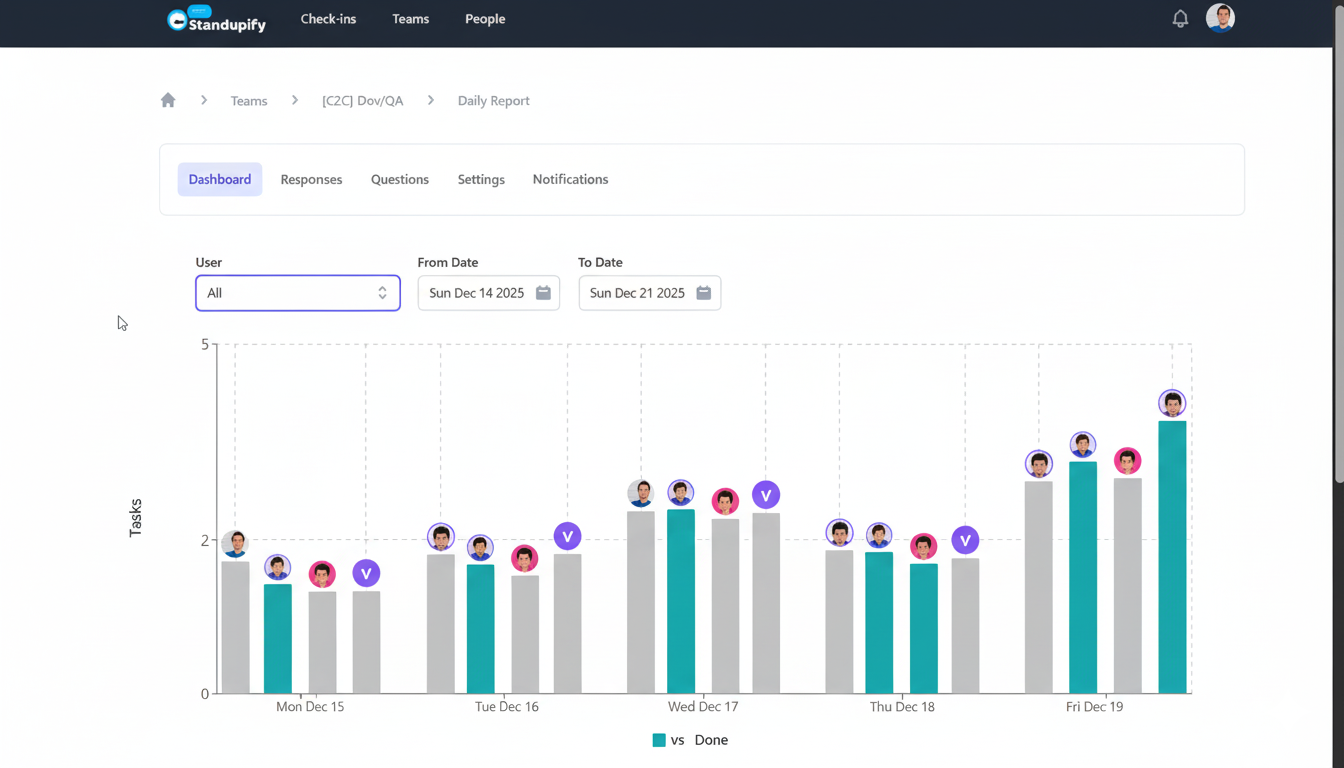
In today's fast-paced digital workplaces, effective communication is the bedrock of team success. While tools like Google Chat standup bots have transformed daily updates into streamlined, asynchronous processes, there's another often-overlooked dimension that holds immense potential for team transparency and efficiency: gmail usage analytics. Imagine a scenario where you not only know what your team is working on but also understand the underlying communication patterns that drive or hinder their progress. This deeper insight, uncovered through detailed email analytics, can be a game-changer for identifying bottlenecks and fostering a more collaborative environment.
At Standupify, we understand the power of automated standups in Google Chat to keep teams aligned. But what if we could augment that alignment with an understanding of how information flows—or gets stuck—within your team's primary communication channel: email? By combining the proactive updates from standups with the diagnostic insights from gmail usage reports, teams can achieve a level of operational clarity that was previously unattainable.
The Foundation: Google Chat Standup Bots for Daily Alignment
Google Chat standup bots, like Standupify, have become indispensable for modern teams. They automate the collection of daily updates, ensuring everyone is aware of progress, blockers, and plans without the need for time-consuming synchronous meetings. This fosters a culture of accountability and keeps projects moving forward. Key benefits include:
- Asynchronous Updates: Team members can provide updates when it's convenient for them, respecting different time zones and workflows.
- Centralized Information: All standup reports are stored in Google Chat, creating a searchable history of daily progress.
- Quick Identification of Blockers: Team members can easily flag issues, allowing leads to address them promptly.
- Improved Focus: Less time spent in meetings means more time for actual work.
While these benefits are significant, standup reports primarily tell you what is happening. They might highlight a blocker, but they don't always reveal the root cause, especially if that cause lies in communication breakdowns or overloaded inboxes. This is where the strategic analysis of gmail usage comes into play.
Unpacking Gmail Usage for Deeper Team Insights
Email remains a core communication channel for most organizations. From project discussions to client correspondence, a significant portion of daily work happens within the inbox. Analyzing gmail usage isn't about surveillance; it's about understanding aggregate communication patterns to improve team efficiency and well-being. Tools that provide AI-powered insights for Google Workspace, such as Workalizer, offer sophisticated AI-powered Gmail Usage Report capabilities. These reports can reveal:
- Communication Load: Who is sending and receiving the most emails? Are certain team members consistently overwhelmed by their inbox?
- Response Times: Are there consistent delays in email responses within specific teams or with particular individuals?
- Email Traffic Patterns: When are most emails sent and received? Are there peaks and troughs that indicate workflow inefficiencies?
- Internal vs. External Communication: How much time is spent communicating internally versus with clients or partners?
- Information Flow: Are there communication silos, or is information circulating effectively across the team?
Understanding these patterns provides a quantitative layer to the qualitative updates from standups. It helps leaders and team members alike see beyond individual tasks to the systemic communication health of the team.
Illustration 1: A dashboard showing various charts and graphs representing email analytics, including sender/receiver activity, response times, and communication volume over time.
Bridging Standups and Email Analytics: A Holistic View of Team Performance
The true power emerges when you integrate the insights from Google Chat standups with gmail usage analytics. Think of standups as the pulse of daily activity and email analytics as the diagnostic report of the circulatory system. Here’s how they complement each other:
Identifying Workflow Bottlenecks with Precision
A standup might reveal, "I'm blocked waiting for feedback from John." While this is valuable, a gmail usage report can add crucial context. Is John consistently overloaded with emails? Does he have a significantly higher incoming email volume compared to his peers? Are his average response times longer? This data can transform a simple blocker into an actionable insight about John's workload or the team's communication protocols. It helps differentiate between a one-off delay and a systemic bottleneck.
Enhancing Communication Transparency
Transparency isn't just about knowing what everyone is doing; it's also about understanding how information moves. By analyzing gmail usage, teams can collectively understand their communication habits. For instance, if a project often faces delays due to slow email responses, the team can decide to shift critical discussions to Google Chat or implement clearer email prioritization guidelines. This shared understanding fosters a more proactive approach to communication.
Optimizing Resource Allocation and Workload Management
High gmail usage doesn't always equate to high productivity; sometimes, it indicates inefficiency or an uneven distribution of communication responsibilities. When combined with standup reports that outline daily tasks, leaders can identify team members who might be spending excessive time managing their inbox rather than focusing on core deliverables. This insight can lead to better workload distribution, delegation of communication tasks, or the implementation of tools to reduce email dependency for certain types of interactions.
Proactive Problem Solving
Instead of reacting to blockers reported in standups, teams can use gmail usage trends to anticipate potential issues. For example, a sudden spike in internal email traffic around a specific project might indicate confusion or a lack of clear direction, even before a blocker is formally reported. This allows managers to intervene early, clarify expectations, or facilitate direct conversations in Google Chat, preventing minor issues from escalating.
Practical Applications: How to Leverage These Insights
To truly harness the synergy between Google Chat standup bots and gmail usage analytics, consider these practical steps:
- Regular Review Sessions: Periodically review aggregate gmail usage reports alongside standup summaries. Look for correlations between reported blockers and communication patterns.
- Team Discussions: Facilitate open discussions based on the insights. For example, "Our email analytics show high internal email volume around this project. How can we streamline this communication?"
- Set Communication Norms: Use the data to establish clearer expectations for email response times, when to use Google Chat versus email, and how to prioritize incoming messages.
- Identify Training Opportunities: If certain individuals or teams show signs of email overload or inefficiency, offer training on email management techniques or the effective use of Google Workspace tools.
- Experiment with Tools: Explore features within Google Chat (like Spaces or threaded conversations) to reduce reliance on email for quick updates and daily coordination, thus freeing up the inbox for more strategic communications.
Illustration 2: A visual representation of information flow within a team, with arrows indicating communication paths between team members. One or two paths are highlighted as bottlenecks, perhaps with a 'slow' or 'blocked' icon, while others show smooth flow.
Choosing the Right Tools for Comprehensive Insights
For your standup needs, Standupify provides a robust and intuitive Google Chat bot that integrates seamlessly into your team's workflow. It ensures that daily updates are consistent, easy to manage, and always accessible, fostering a culture of transparency and accountability.
For deep dives into gmail usage, leveraging a specialized tool like Workalizer's AI-powered Gmail Usage Report is essential. Such platforms are designed to extract meaningful, actionable insights from your Google Workspace data, helping you understand the 'how' and 'why' behind your team's communication patterns. By bringing these two powerful data sources together, you create a comprehensive feedback loop that continually refines your team's operational efficiency.
Conclusion
In the evolving landscape of remote and hybrid work, understanding and optimizing team communication is paramount. Google Chat standup bots provide invaluable real-time updates on tasks and blockers. When paired with sophisticated gmail usage analytics, teams gain an unparalleled view into their communication ecosystem. This powerful combination not only surfaces issues but also provides the data-driven insights needed to resolve them, leading to improved workflow transparency, identified bottlenecks, and ultimately, a more productive and harmonious team. Embrace the synergy, and watch your team's communication efficiency soar.