Streamlining Project Management: Connecting Wix Forms to Google Sheets for Standup Bots
In today's fast-paced project environments, efficient data collection and seamless reporting are not just advantages—they are necessities. For project managers leveraging tools like Standupify to streamline daily standups, the ability to quickly gather and process team inputs is paramount. Imagine a scenario where vital project data, collected through various forms, effortlessly flows into a centralized system, ready for analysis and integration with your standup routines. This is precisely where the power of connecting wix forms to google sheets comes into play, offering a robust solution for automating data capture and enhancing team oversight.
The Challenge of Manual Data Collection in Project Management
Project managers often grapple with the tedious and error-prone nature of manual data entry. Whether it's tracking task progress, collecting feedback on project roadblocks, or gathering team availability, relying on disparate sources and manual aggregation consumes valuable time that could be better spent on strategic planning and problem-solving. This challenge is amplified when trying to derive actionable insights for daily standups, where quick, accurate updates are crucial. Without an automated pipeline, the data needed to inform standup discussions might be outdated, incomplete, or simply too burdensome to compile in time.
Why Wix Forms Are a Popular Choice for Data Capture
Wix has emerged as a versatile platform for businesses and teams to create professional websites and, critically, powerful forms. From simple contact forms and survey questionnaires to detailed feedback mechanisms and registration pages, Wix forms offer an intuitive interface for both creators and respondents. Their ease of use, customization options, and mobile responsiveness make them an excellent choice for collecting diverse types of information from team members, stakeholders, or clients. However, the true potential of these forms is unlocked when the collected data can be easily integrated into broader project management workflows.
Bridging the Gap: Connecting Wix Forms to Google Sheets
The real magic happens when you bridge the gap between your Wix forms and a powerful data management tool like Google Sheets. Google Sheets provides a flexible, collaborative environment that can serve as the central repository for all your project-related data. By automatically transferring data from wix forms to google sheets, you eliminate manual entry, reduce errors, and ensure that your project data is always current and accessible. This integration transforms raw form submissions into structured, actionable datasets, ready for analysis, filtering, and reporting.
Real-World Applications for Project Managers
Consider the myriad ways this integration can benefit a project manager:
- Automated Standup Inputs: Teams can fill out a quick Wix form at the end of their day or before a standup, detailing progress, blockers, and plans. This data flows directly into Google Sheets, ready to be reviewed before the standup or even integrated with a standup bot for automated summaries.
- Retrospective Feedback: Gather anonymous or attributed feedback after a sprint or project milestone using Wix forms. The data in Google Sheets can then be easily analyzed for trends and areas of improvement.
- Resource Requests & Approvals: Team members can submit requests for resources, software, or training via a Wix form. The details land in Google Sheets, allowing for quick review and tracking of approvals.
- Client Feedback & Feature Requests: If your project involves external stakeholders, Wix forms can capture their feedback or new feature requests directly into Google Sheets, helping you prioritize and track client-driven tasks.
Enhancing Standup Bots with Automated Wix Data
For project managers utilizing Google Chat bots like Standupify, the integration of wix forms to google sheets offers a significant leap in efficiency. Imagine your standup bot pulling daily updates directly from a Google Sheet that is constantly refreshed by Wix form submissions. This means:
- More Accurate & Timely Updates: Standup discussions can be based on the most current data, eliminating the need for team members to verbally recall details or manually type them out during the standup.
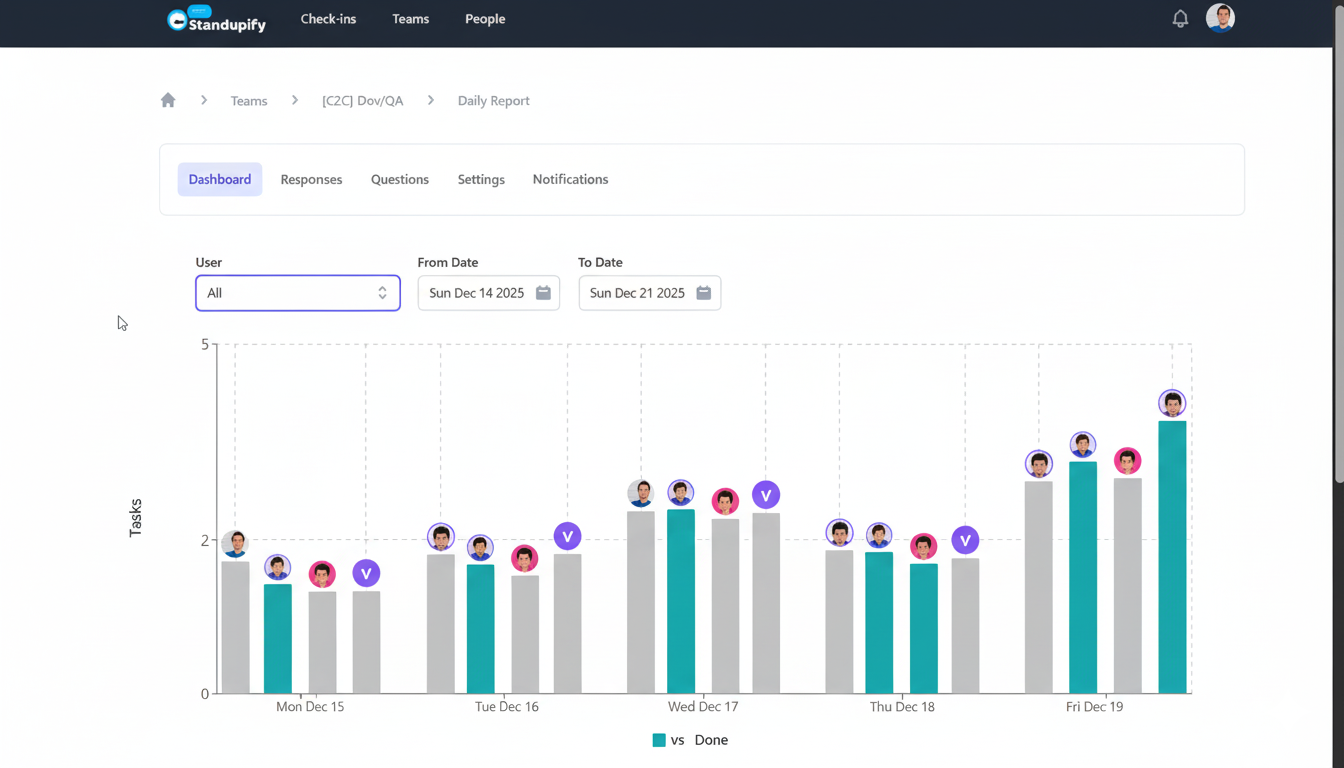
- Automated Reporting: With all data centralized in Google Sheets, custom dashboards and reports can be built to visualize project progress, identify bottlenecks, and track key performance indicators. These reports can then be shared automatically or used to inform strategic decisions.
- Reduced Meeting Time: By having pre-populated data, standups can become more focused on discussion, problem-solving, and collaboration rather than just status reporting.
The synergy between automated data collection and intelligent standup bots creates a powerful ecosystem for modern project management, ensuring that every team member's input contributes meaningfully to the project's success.
Streamlining Your Workflow with Sheet2Cart's Wix Integration
While various methods exist for connecting Wix forms to Google Sheets, specialized tools significantly simplify the process. For instance, solutions like Sheet2Cart's Wix integration are designed to create a seamless bridge between your Wix website and Google Sheets. These platforms handle the complexities of data transfer, ensuring that your form submissions are accurately and reliably sent to your designated spreadsheets. By leveraging such tools, project managers can set up robust data pipelines without requiring extensive coding knowledge, freeing them to focus on project execution and team leadership.
The Future of Project Tracking: Automated, Integrated, Insightful
The ability to connect wix forms to google sheets is more than just a technical integration; it's a strategic move towards a more automated, efficient, and insightful approach to project management. By centralizing data collection and leveraging the power of Google Sheets, project managers can ensure that their standup bots and overall team tracking efforts are always fueled by accurate, real-time information. This integration empowers teams to make faster, more informed decisions, ultimately leading to greater productivity and project success in an increasingly data-driven world.
Embrace the future of automated data flow and transform how your team manages projects and conducts daily standups. The tools are available; it's time to unlock their full potential.